 LINKINFO
Tern is an FTP, FTPS and SFTP client designed for the Mac. Your Mac on the left, the server on the right: transfer, sync and edit your files just like in the Finder, and open an SSH terminal on the same server without switching apps. Tern is free, with no ads and no account to create.
What Tern does
Connections
The three protocols web hosts use, with the usual authentication methods.
- FTP, FTPS (explicit or implicit TLS) and SFTP over SSH.
- Sign in with a password or SSH key (ed25519 recommended); passwords stay in the macOS Keychain.
- SSH server fingerprints are verified and remembered: Tern warns you if they change.
- A list of sites, each with its own starting remote and local folders.
Dual Pane
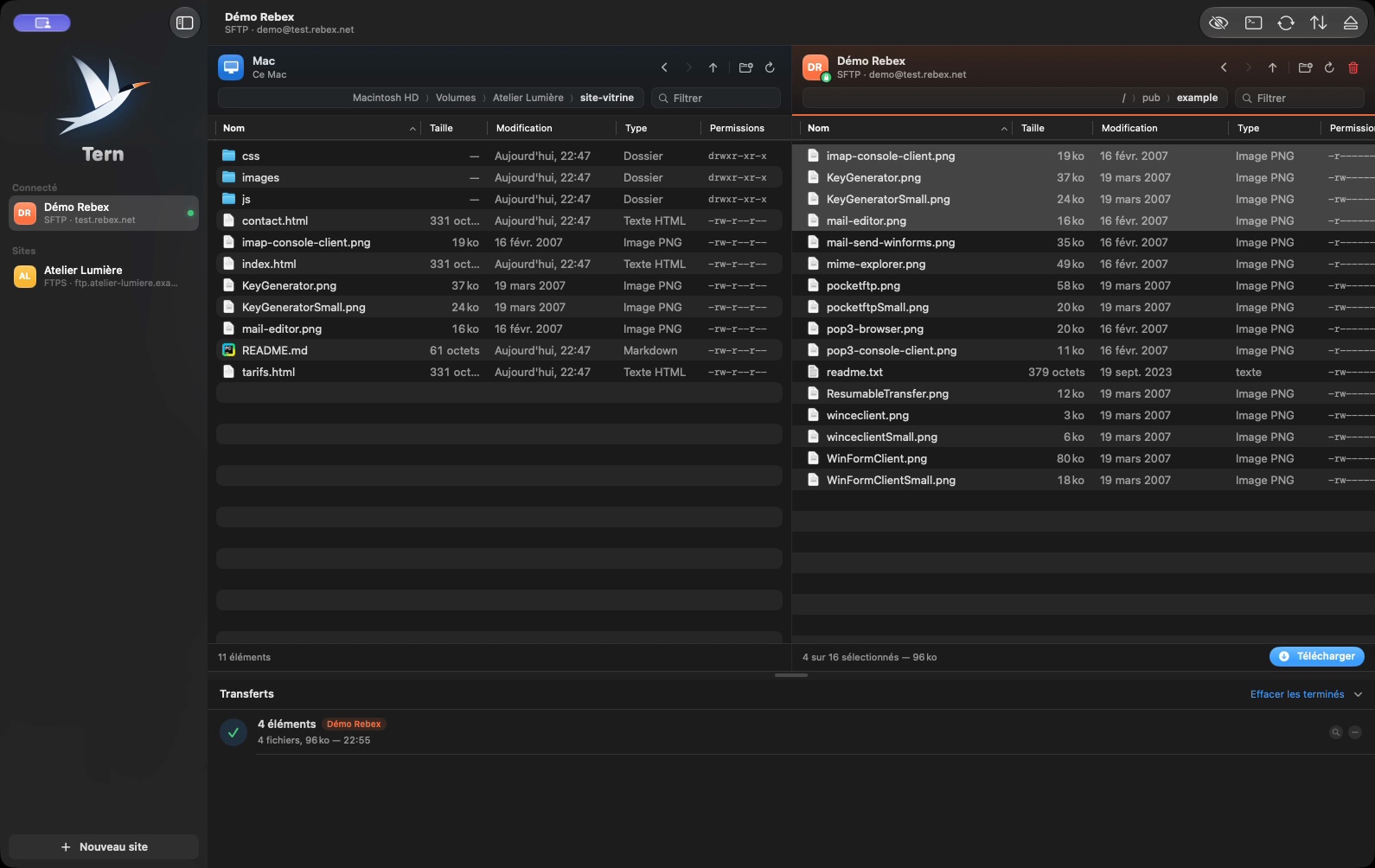
Your Mac and the server in the same window.
- Drag and drop in both directions, including from the Finder.
- Rename, create folders, delete, change permissions (chmod).
- Quick Look for files on the server, hidden files shown on demand.
- The window’s size and position are remembered between sessions.
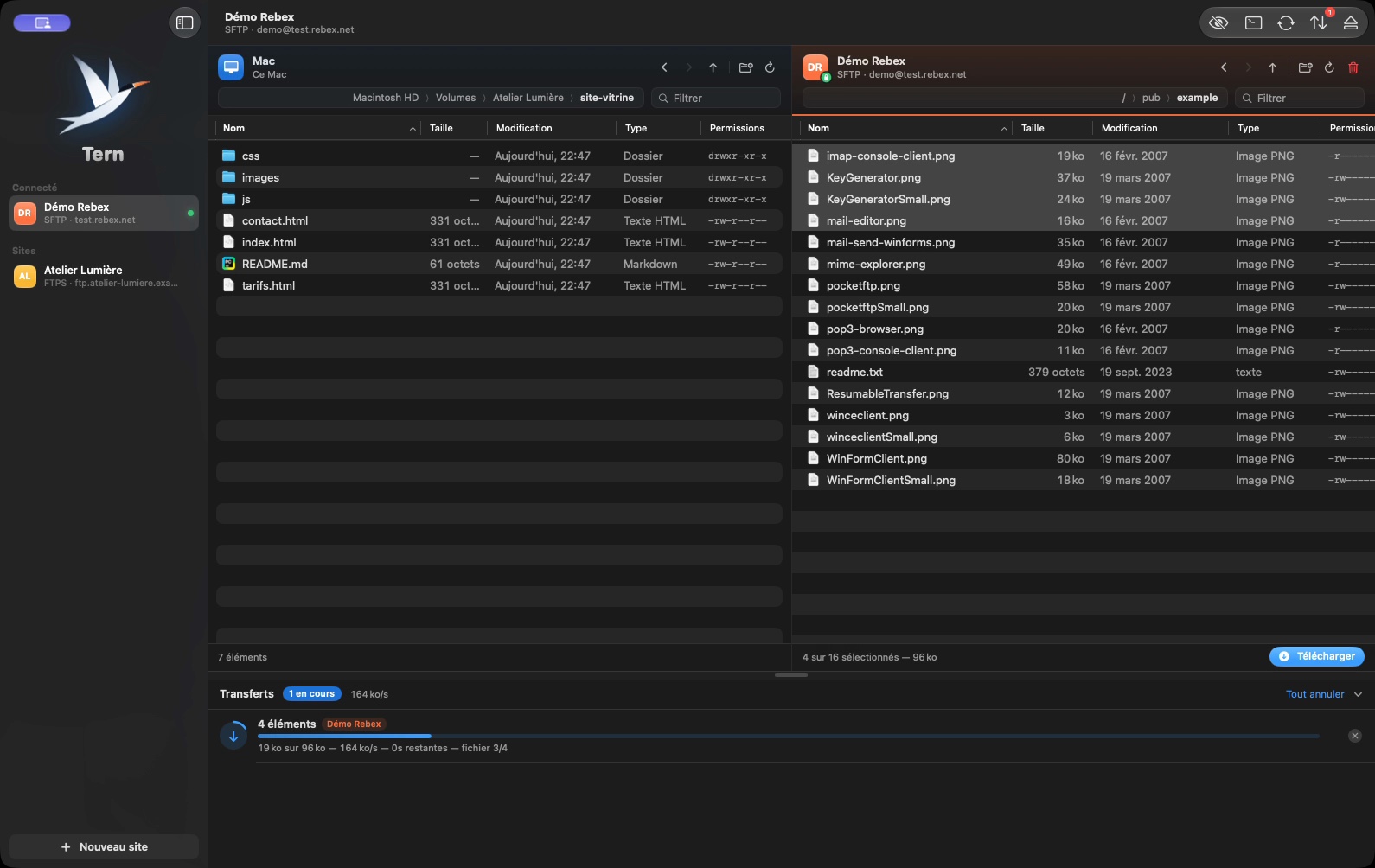
Transfers
A queue that only interrupts you when it has to.
- Transfer queue with progress, speed, time remaining and a button to retry a failed transfer.
- When a file already exists: ask, replace, keep the newer one or skip, for one file or for all.
- Modification dates are preserved in both directions.
Sync
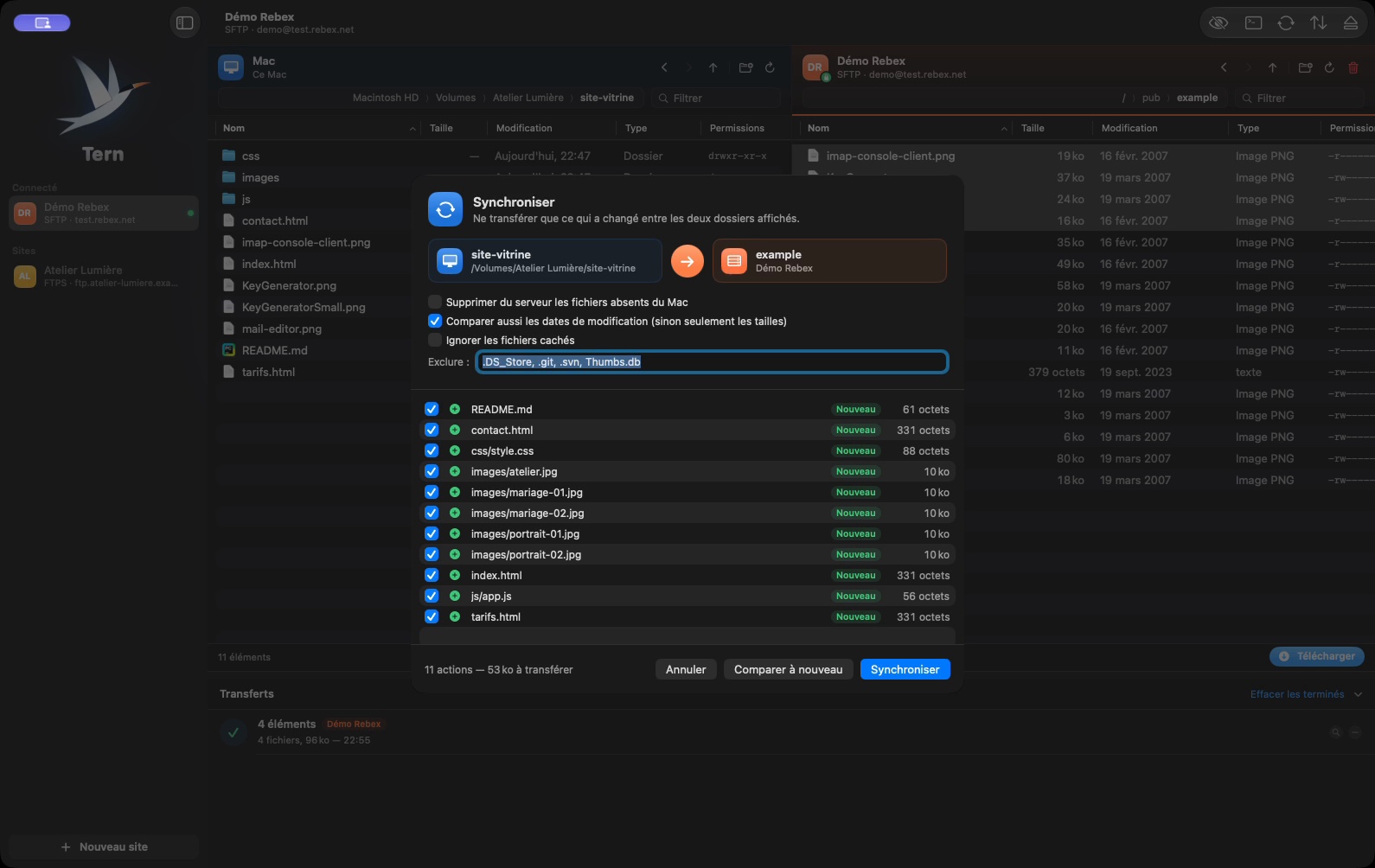
A folder on your Mac and a folder on the server, kept identical.
- Compares the two displayed folders and sends only new or modified files, in the direction you choose.
- Preview of the actions and the amount of data to transfer before you start; uncheck anything you don’t want.
- Options: delete files missing on the other side, ignore hidden files, exclude folders or extensions.
- Compares sizes and dates to the second (to the minute on FTP servers that don’t provide more).
Direct Editing
Edit a file on the server with your usual editor.
- Open a remote file in the app of your choice: every save sends it back to the server.
- Ideal for fixing a configuration file or a live page without downloading it by hand.
SSH Terminal
A command line on the server, without re-entering your credentials.
- Built-in terminal that connects to the open site with the same credentials, below the two panes in the same window.
- Colors, copy and paste, and scrolling just like in the macOS Terminal.
On All Your Macs
Your sites, wherever you are.
- Sites, settings and server fingerprints synced through iCloud Drive across your Macs. Passwords never leave the Keychain.
- Quick access to your sites from the menu bar.
- In French, English and Spanish.
In pictures
A coffee for what's next
Tern is free, ad-free, and will stay that way. I develop it in my spare time: every coffee helps fund the next versions, fixes and new features, and tells me the app is useful to you.
Installation
- Download the .zip fileIt unzips on its own in the Downloads folder.
- Drag Tern to ApplicationsIn the Finder, into your Mac's Applications folder.
- Open TernThe app is signed and notarized by Apple: it opens without a warning.
Requirements
- Free, no ads, no account to create.
- Available in French, English and Spanish: the app follows your Mac’s language, or the one chosen in its settings.
- macOS 14 Sonoma or later.
- Mac with Apple silicon or Intel processor.
- FTP, FTPS or SFTP access to your server or hosting.


